Minimarkets and convenience stores
Customers with a small basket can finish at the self-checkout station, next to the register where your team serves.
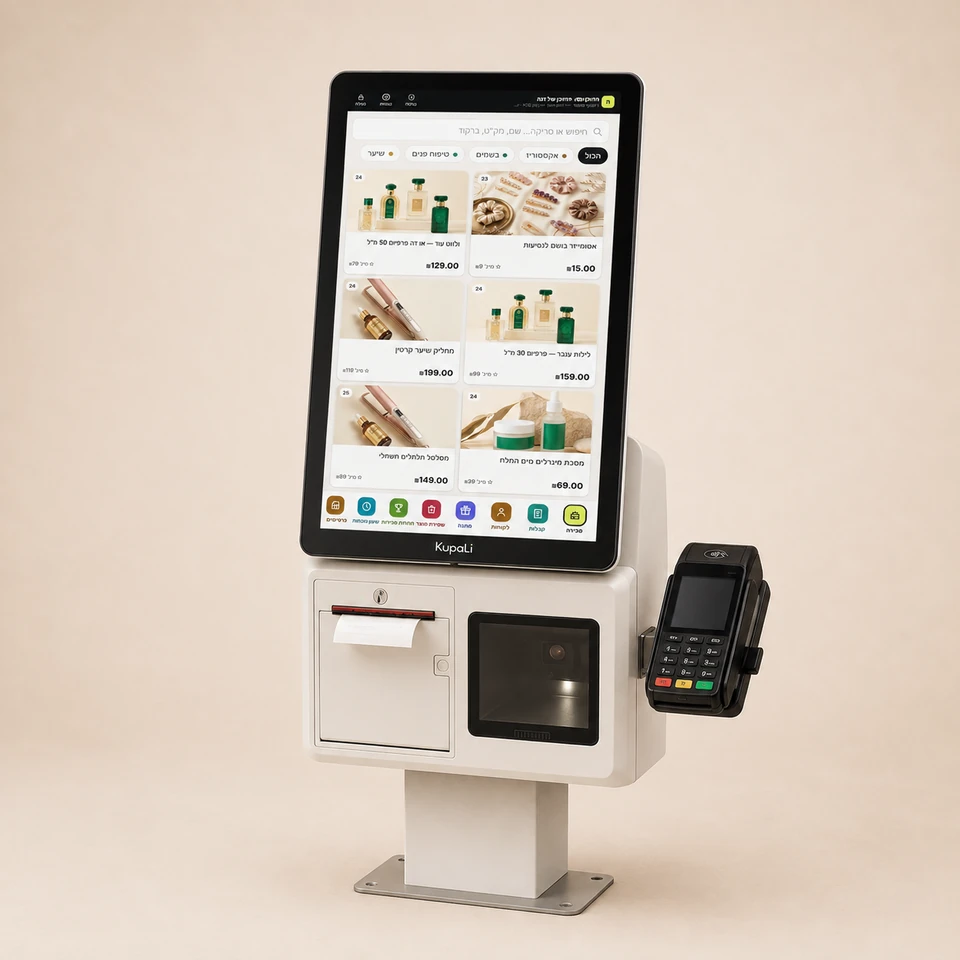
Customers choose products and pay at the station, and your team is free for service and for tasks that need help. KupaLi self-checkout is available for stores and food businesses, alongside your regular work.
The price is for the software only. It runs on the computer or tablet you already have.
Start from the products customers buy and how they choose them, then fit the station.
Customers with a small basket can finish at the self-checkout station, next to the register where your team serves.
Plan a clear choice between packaged products and items without a barcode. For products sold by weight, also fit the weighing step.
Fit the purchase flow to ready-made products and the way they are picked up. If a dish is ordered to be prepared, also set up the order step.
A self-checkout screen should help the customer understand what to do at every step.
Scan a barcode or choose on the screen, based on the products and hardware set up on the self-checkout screen.
The customer goes over the items, quantities and total before paying. Also explain how to get help when needed.
Fit the payment methods and how the receipt is received, and make sure the finish is clear to the customer.
Choose a convenient location, access to the screen and terminal, and the hardware your products need. Also plan who helps the customer with a question, a correction or a payment that did not go through.
Self-checkout is for completing a purchase. An ordering kiosk for food businesses usually includes choosing from a menu and sending the order to the kitchen. In the fitting call, we define the process you need, not just the screen size.
Register at ₪79 and Smart POS at ₪119 per branch per month + VAT. Full details on the pricing page.
Software prices and plan detailsYes. Self-checkout is available as another way to buy in your business, alongside the register and your team. When planning the station, fit the products, location and how help requests are handled.
Self-checkout lets the customer complete a purchase of products. An ordering kiosk is usually for choosing from a menu and sending an order to be prepared. Define the process your business needs before choosing the station.
Payment methods depend on the terminal and hardware connected to the self-checkout screen. Accepting cash at self-checkout requires suitable hardware; it does not come just from installing a self-checkout screen. The options are detailed in the fitting call.
Yes. A customer can complete a purchase on their own, but there should be a clear way to get help. Your team handles questions, corrections and cases where the purchase or payment stops.
The quote is fitted to the software plan, the screen and the hardware needed, such as a payment terminal, scanner and printer. Software plan prices are on the pricing page; the cost of hardware and connections is detailed in the quote for your business.